
Description
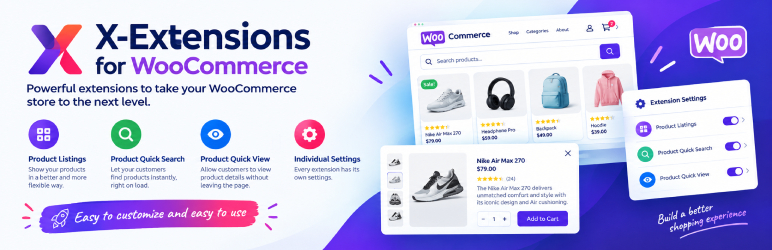
Boost your WooCommerce store’s performance with X-Extensions for WooCommerce. This plugin bundles three powerful extensions: a product listing grid, lightning-fast AJAX product search, and a quick view popup. Each extension comes with its own settings panel, so you can customize everything easily. Perfect for improving user experience and driving sales, X-Extensions for WooCommerce is your go-to solution for a more dynamic, efficient, and user-friendly eCommerce platform.
Shortcode List
To use these shortcodes, just place the required shortcode(s) on your desired location.
- Product list [product_listing]
- Product search [xewc_product_search]
Features
- Three powerful extensions: Product Listing, AJAX Product Search and Quick View
- Every extension has its own settings panel
- All extensions are totally free
- AJAX powered product search with live results
- Quick view popup to preview products without leaving the shop page
- Product listing grid with pagination and category support
- Easy to customize and easy to use
Please let us know your feedback, if you think something can be more awesome in this plugin, we will love to add.
Screenshots


Installation
Minimum Requirements
- WordPress 6.2 or greater
- WooCommerce installed and activated
- PHP version 7.4 or greater
- MySQL version 5.6 or greater (MySQL 8.0 or greater is recommended)
Automatic installation
The automatic installation is the easiest way to install any plugin in WordPress. You can perform an automatic installation of logging in to your WordPress dashboard, navigating to the “Plugins” menu and click on the „Add New” button.
This will open up a page showing all the available plugins in WordPress. In the search field, type X-Extensions for WooCommerce or xextensions. The search result will show you our X-Extensions for WooCommerce plugin, you can then see the detailed info by clicking on „More Details” and to install just click on the „Install Now” button.
Manual installation
Go to Dashboard > Plugins > Add New, then upload x-extensions-for-woocommerce.zip file and click Install Now.
FAQ
-
Q. Where can I get support?
-
A. You can get support by posting on the support section of this plugin on WordPress plugin directory, or on the support mail: rejuan.17bd@gmail.com
-
Q. Does this plugin require WooCommerce?
-
A. Yes. X-Extensions for WooCommerce is a WooCommerce extension plugin, so WooCommerce must be installed and activated on your site.
-
Q. Can I use my existing WordPress theme?
-
A. Sure, you can use your existing WordPress theme with X-Extensions for WooCommerce.
-
Q. Where can I report a bug?
-
A. Found a bug? Please let us know by posting on the support section of this plugin on WordPress plugin directory or directly on our support mail: rejuan.17bd@gmail.com
Reviews
There are no reviews for this plugin.
Contributors & Developers
“X-Extensions for WooCommerce” is open source software. The following people have contributed to this plugin.
Contributors
Translate “X-Extensions for WooCommerce” into your language.
Interested in development?
Browse the code, check out the SVN repository, or subscribe to the development log by RSS.
Changelog
2.0.0 [22/09/2026]
- Security: output escaping, input sanitization and AJAX nonce verification added
- Direct file access protection (ABSPATH check) added to plugin files
- Product search endpoint moved to admin-ajax instead of a direct PHP file
- Plugin header license added and text domain issues fixed
- Scripts/styles enqueue fixed (proper version, footer loading, datepicker dependency)
- Internal global variables prefixed to avoid conflicts with other plugins
- Quick view popup redesigned with new SCSS source and professional UI
- SEO optimized readme tags and description
1.0.4 [27/08/2024]
- Bug fixed
1.0.3 [11/07/2024]
- Tags name updated
1.0.2 [17/06/2024]
- CSS issue fixed
- Gulp file and Package.json file script updated
1.0.1 [11/03/2023]
- Version up to date
1.0.0 [04/06/2021]
- Initial version released