

Description
eMail Logs logs every email sent through wp_mail() — WordPress core, WooCommerce, Contact Form 7, WPForms, Gravity Forms, Fluent Forms, and any other plugin that uses the standard mailing API — into a dedicated, indexed database table (never wp_posts), so it stays fast even at hundreds of thousands or millions of logged emails.
Features
- Zero configuration — logging starts automatically on activation.
- Dedicated, indexed database table with a FULLTEXT search index.
- Fast, filterable, sortable admin log table with keyset (seek) pagination.
- Full email viewer: headers, HTML/plain text, attachments, SMTP response, source detection.
- Resend any logged email, with the option to edit recipients/subject/body first.
- CSV and JSON export, filtered or full.
- Automatic retention cleanup, configurable per site.
- REST API (
kaiizenml/v1) and WP-CLI commands (wp kaiizenml list|view|delete|cleanup|export). - No premium tier, no telemetry, no tracking, no ads, no upgrade nags.
Free forever
Every feature in Kaiizen Mail Log is available for free, with no artificial limits.
Screenshots
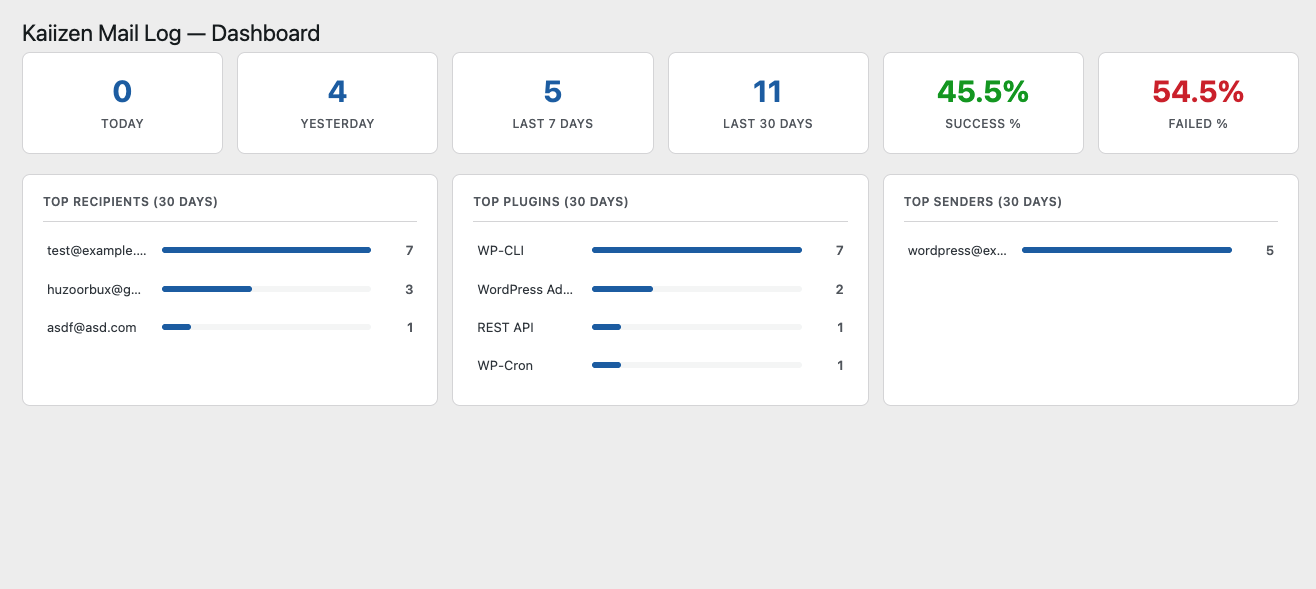
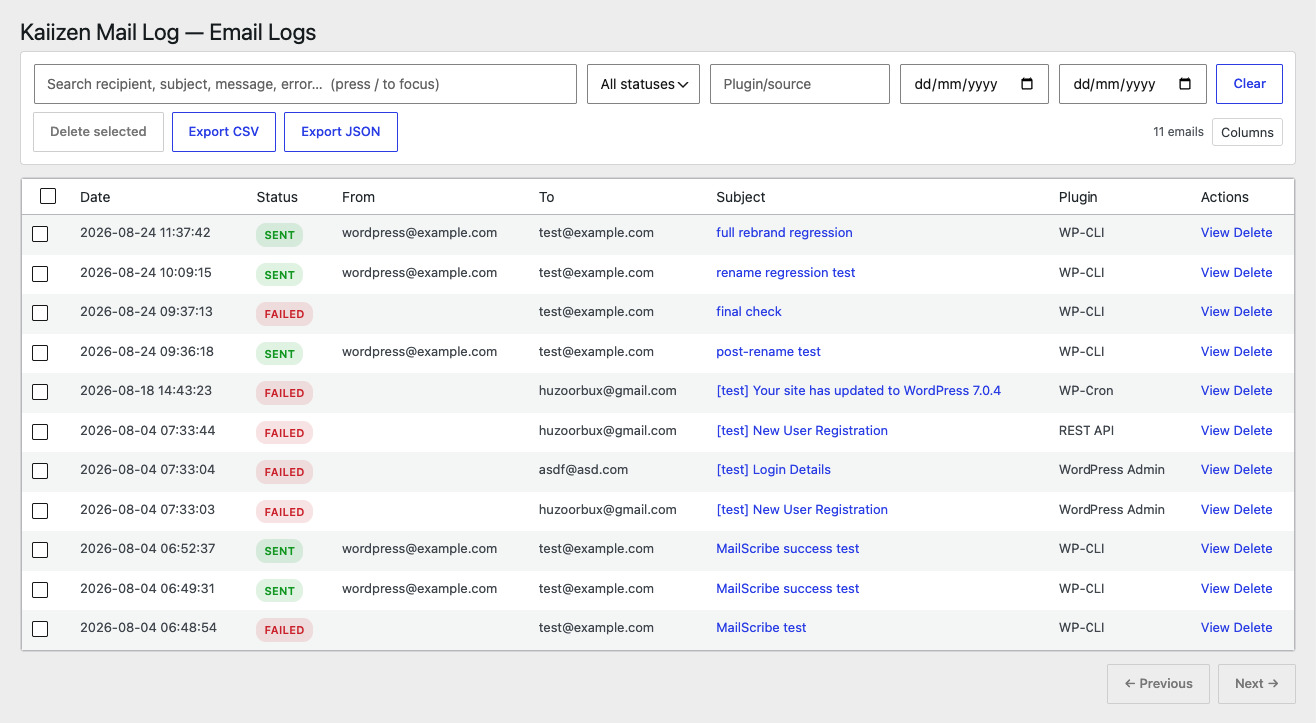
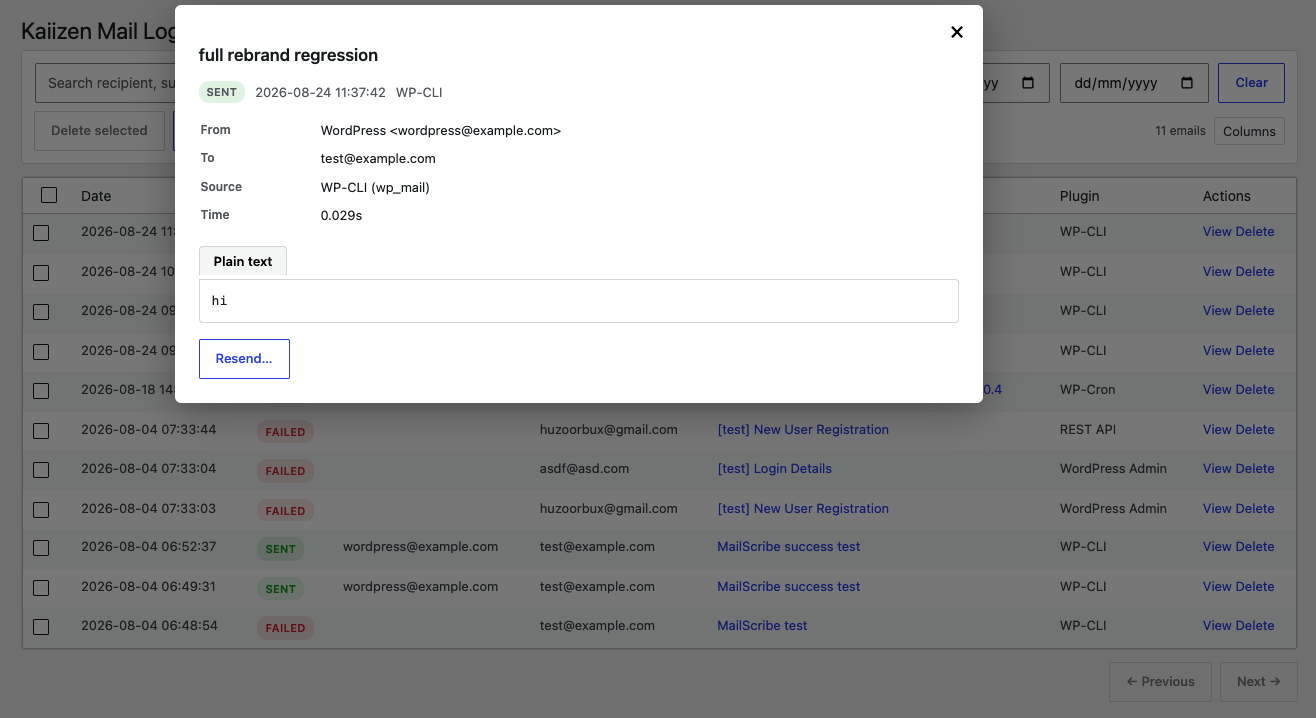
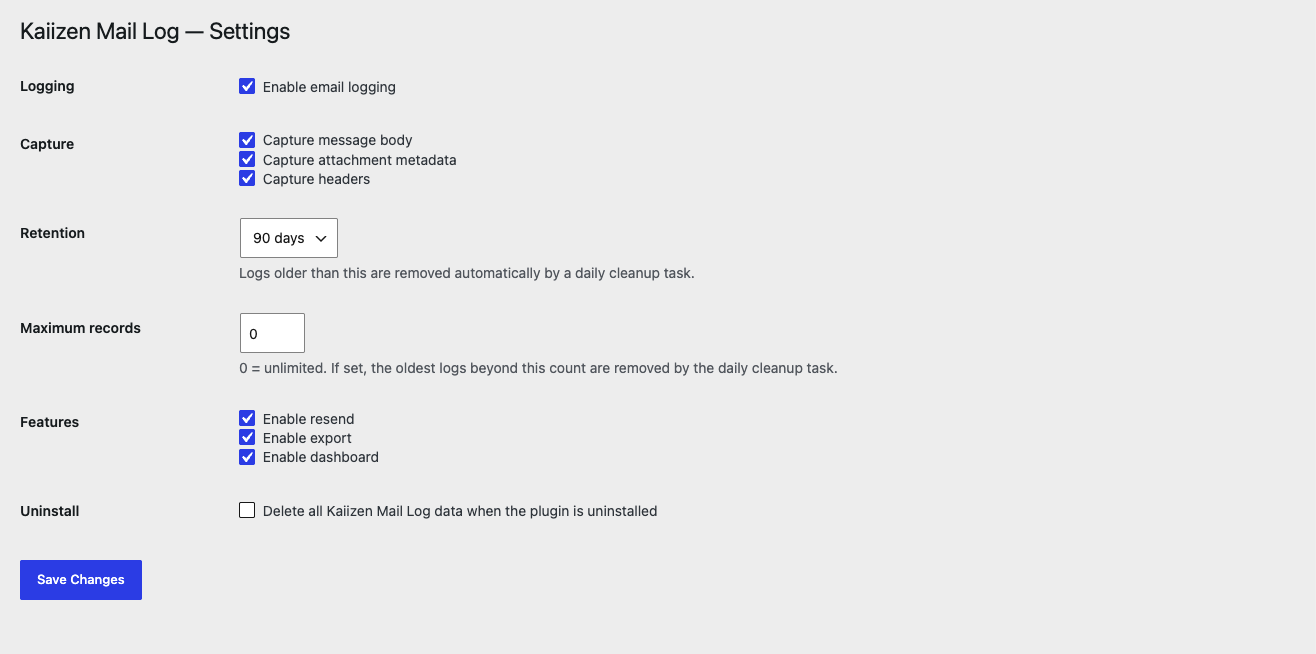
Installation
- Upload the
kaiizen-mail-logfolder to/wp-content/plugins/. - Activate the plugin through the „Plugins” screen in WordPress.
- That’s it — emails start logging immediately. Visit „Kaiizen Mail Log” in the admin menu to view them.
FAQ
-
Does this store logs in wp_posts?
-
No. Kaiizen Mail Log uses its own dedicated table (
{prefix}kaiizenml_logs) with purpose-built indexes, so it stays fast at high volume and never bloats your posts table. -
Is anything sent externally?
-
No. Kaiizen Mail Log has no telemetry, tracking, or external requests of any kind.
Reviews
There are no reviews for this plugin.
Contributors & Developers
“Kaiizen Mail Log” is open source software. The following people have contributed to this plugin.
Contributors
Translate “Kaiizen Mail Log” into your language.
Interested in development?
Browse the code, check out the SVN repository, or subscribe to the development log by RSS.
Changelog
1.0.1
- Fix: HTML emails could render blank or corrupted in the log viewer when the message contained double quotes (e.g. in
style,class, orhrefattributes), which is the case for nearly all real-world HTML emails. The viewer now assigns the email body to the preview iframe directly instead of inlining it into an HTML attribute string. - Fix: emails whose send failed before PHPMailer’s
phpmailer_inithook could run (e.g. an invalid From address) were logged with no HTML body at all, so the viewer showed only a „Plain text” tab dumping the raw HTML markup as text. HTML is now detected as early as possible, so the HTML tab appears and renders correctly even for these early failures. - Existing log entries affected by the above are backfilled automatically, once, the next time the admin loads.
1.0.0
- Initial release: capture pipeline, log table, dashboard, viewer, resend, CSV/JSON export, retention cleanup, REST API, WP-CLI commands.