
Description
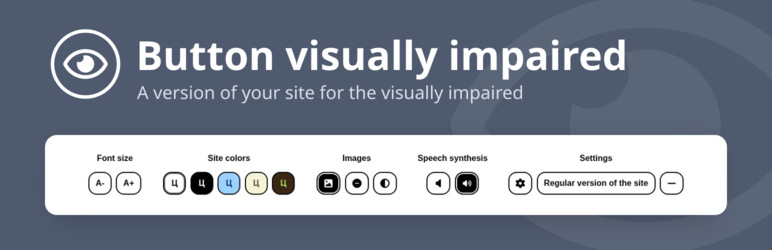
Button visually impaired automatically changes your site into a version for the visually impaired. The panel on the site lets visitors change the color scheme, the font size and family, spacing and images, and a speech synthesizer reads aloud the changes and the text you mark for it. Thanks to it, your site meets the needs of people with disabilities.
Features
- Change the font size (up to 200%);
- Change the color scheme of the site;
- Change the font of the site (serif or sans serif);
- Change the image (gray scale, hide the image with an alt caption);
- Change letter spacing (kerning);
- Change line spacing;
- Speech synthesizer reads aloud changes to display settings;
- Disable embedded elements (videos, maps, etc.);
- Play text to voice;
- Interface and speech in 11 languages;
- The panel follows the selected color scheme and collapses into a menu on phones and tablets;
- Keyboard control (Tab, arrow keys, Home, End, Space, Enter, Esc);
- Support for browsers Chrome, Firefox, Safari, Microsoft Edge, Opera.
Ways to add the button
- The Gutenberg block „Button for the visually impaired”: icon, text, colors (also on hover, gradient), font, spacing, borders, shadow, size;
- The Gutenberg block „Speech text”: a container whose content a visitor can listen to;
- The shortcode
[bvi]with the attributestext,icon,colorandbackground; - The „Button visually impaired” widget: title, text, colors, showing the icon and the text;
- Any element with the
bvi-openclass.
Detailed instructions and a FAQ are on the „BVI Instructions” page in the admin.
HTML classes
bvi-speechadds text-to-speech buttons to the block;bvi-hidehides the element in the version for the visually impaired;bvi-showshows the element only in the version for the visually impaired;bvi-no-stylesdisables the plugin styles inside the block.
Screenshots

screenshot-1.jpg.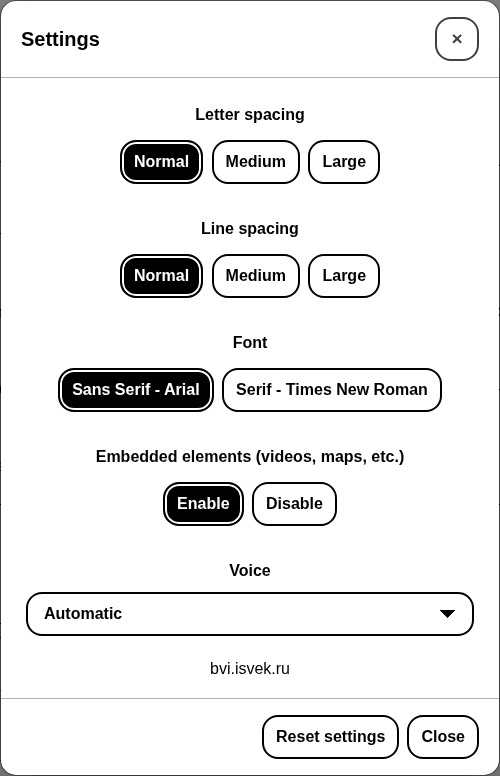
screenshot-2.jpg.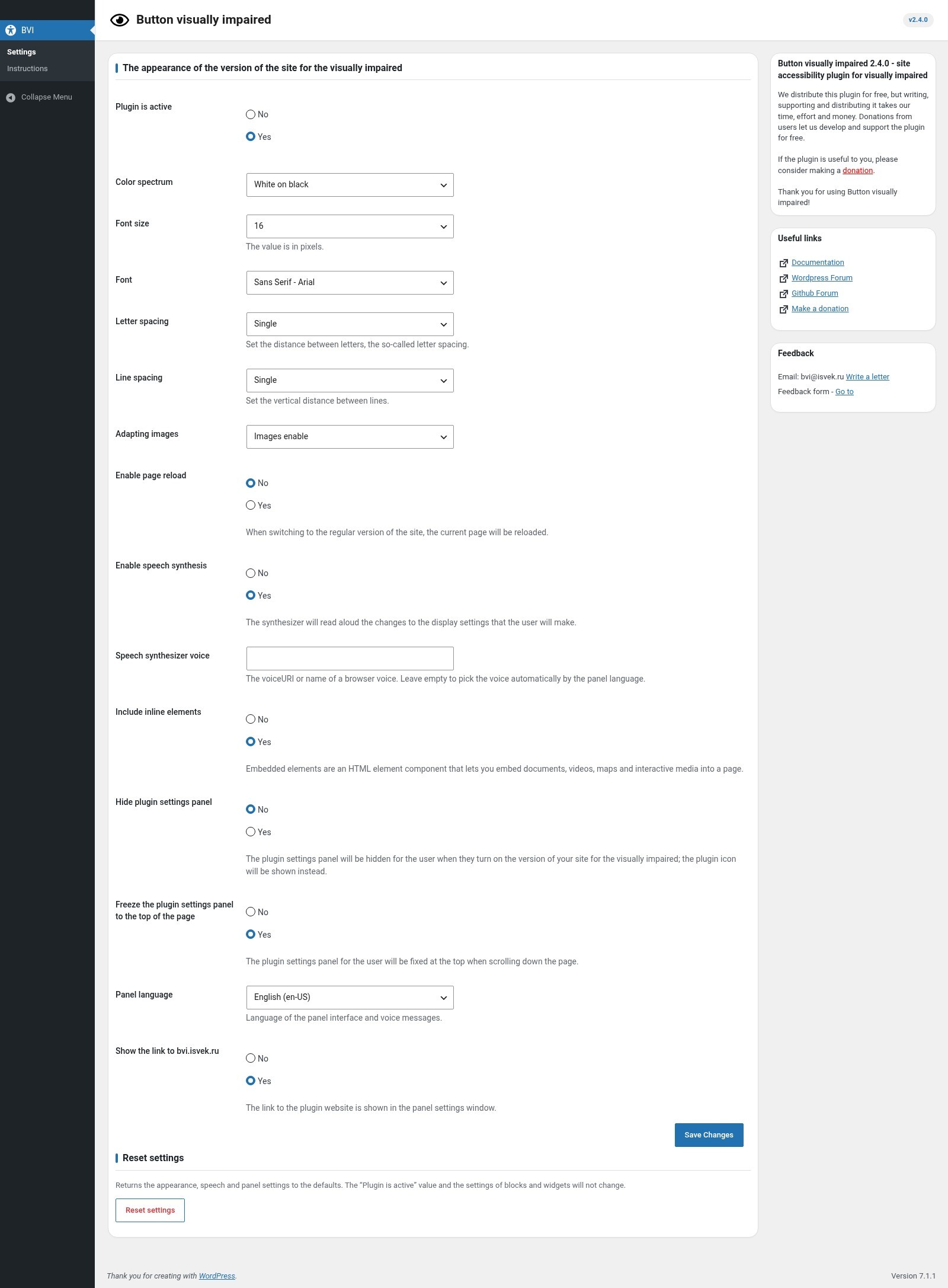
screenshot-3.jpg.Blocks
This plugin provides 2 blocks.
- Озвучиваемый текст Контейнер, содержимое которого посетитель может прослушать: в версии для слабовидящих над блоком появляются кнопки озвучки.
- Кнопка для слабовидящих Кнопка включает версию сайта для слабовидящих. Отображается на сайте, когда плагин включён в настройках BVI.
Installation
- Upload the plugin to the
/wp-content/plugins/directory. - Activate the plugin: Plugins Button visually impaired Activate.
- Go to the BVI menu and choose „Plugin is active: Yes” in the settings.
- Add the button with the „Button for the visually impaired” block, a widget, or the shortcode
[bvi]or[bvi text="Version for the visually impaired" background="#1a237e" color="#ffffff" icon="true"].
FAQ
-
Make sure „Plugin is active: Yes” is selected in the settings: while the plugin is off, the button, shortcode and widget output nothing. Then check that the button is placed, and clear the site cache.
-
For the block, in the right editor panel; for the widget, in its form; for the shortcode, with the
text,icon,colorandbackgroundattributes. -
Do the settings on the plugin page apply to all visitors?
-
They are the defaults the panel opens with for the first time. A visitor can change them in the panel, and their choice is remembered in their browser.
-
How do I return to the regular version of the site?
-
Press the „Regular version of the site” button in the panel.
-
The speech synthesizer does not work.
-
Speech depends on the browser and the operating system: they must have voices for the selected language. In the „Speech synthesizer voice” setting you can specify a voice name or identifier; an empty value means automatic selection.
-
How do I make a piece of text spoken?
-
Use the „Speech text” block or add the
bvi-speechclass to a container. Play, pause, resume and stop buttons appear above the block. -
How do I reset the plugin settings?
-
Press „Reset settings” at the bottom of the settings page. The „Plugin is active” value and the settings of blocks and widgets will not change.
-
Yes, any element with the
bvi-openclass turns on the version for the visually impaired.
Reviews


Contributors & Developers
“Button visually impaired” is open source software. The following people have contributed to this plugin.
Contributors
Translate “Button visually impaired” into your language.
Interested in development?
Browse the code, check out the SVN repository, or subscribe to the development log by RSS.
Changelog
2.4.0
- The BVI JavaScript library is updated to 2.0.0 (new panel, accessibility, styles; Internet Explorer is no longer supported);
- Panel interface and speech in 11 languages: ru-RU, en-US, es-ES, de-DE, fr-FR, pt-BR, it-IT, tr-TR, pl-PL, zh-CN, ja-JP;
- Added the Gutenberg blocks „Button for the visually impaired” and „Speech text” with native color, font, spacing, border and size settings;
- Shortcode [bvi]: the attributes text, icon, color and background; it outputs a span, so the shortcode is valid inside a paragraph;
- Widget: text and background colors, showing the icon and the text;
- The button text, color and background are no longer plugin settings: they are set in the block, the widget and the shortcode (existing widget values are kept);
- The button is a button element instead of a link;
- Added the „BVI Instructions” page: quick start, ways to add the button, blocks, markup classes, text to speech (bvi-speech), keyboard control and FAQ;
- Added the „Reset settings” button (the „Plugin is active” value is kept);
- Added settings: the speech synthesizer voice, the link to bvi.isvek.ru, 11 panel languages;
- Fixed: the „Font” setting was not passed to the library;
- Select and radio values of the settings are validated;
- Option keys no longer have the bvi prefix (data is migrated automatically on update);
- The text domain is now button-visually-impaired, as WordPress.org requires;
- Updated the English translation; the block editor is translated;
- Requires WordPress 6.0+ and PHP 8.3+.
2.3.0
- Bug fixes;
2.2.0
- Bug fixes;
2.1.0
- Panel interface update;
- Bug fixes;
- Added the English (United States) translation;
2.0
- Added the ability to change the CSS background-image (gray scale, hide the image);
- Added a responsive layout for all screen sizes;
- Panel interface update;
- Speech synthesizer update;
- Bug fixes;
1.0.8
- Bug fixes;
1.0.7
- Bug fixes;
1.0.6
- Bug fixes;
- Added the ability to hide the panel for the visually impaired;
1.0.5
- Added turning the floating frame on and off;
- Removed the „en_US – English (United States)” translation;
- Changed the panel interface;
- Fixed bugs of the version for the visually impaired;
- Added font enlargement up to 200%;
1.0.4
- Added the „en_US – English (United States)” translation;
- Fixed bugs with conflicting templates;
- Fixed script bugs;
1.0.3
- Bug fixes;
1.0.2
- Changed the panel design
- Added speech synthesis
1.0.1
- Changed the panel design
1.0.0
- Added line spacing;
- Minor additions;
- Bug fixes;
0.9
- Added a button to turn on „gray scale” for images;
- Changed the plugin structure;
0.8
- Changed the panel design;
- Changed the font size in pixels to „14”, „18”, „23”;
- Added a choice of fonts „Arial”, „Times New Roman”;
- Added the „brown on beige” color scheme;
- The plugin was rewritten;
0.7
- Fixed text errors;
- Added an option for when the plugin does not work;
- Minor fixes;
0.6
- Changed the plugin structure;
- Changed the panel design;
- Added a shortcode;
- Added the ability to hide images and replace them with the alt attribute;
- Added the ability to keep the image width and height when they are turned off;
- Added the ability to choose icons;
- Fixed all bugs;
- Added the
Helpsection;
0.5.3
- Changed the plugin structure;
- Fixed plugin bugs;
0.5.2
- Changed the panel design;
- Fixed plugin bugs;
0.5.1
- Fixed plugin bugs;
0.5
- No changes;
0.4
- Added the plugin settings:
- Fixed the design;
- Fixed the action on plugin activation;
0.3
- Fixed the bug when switching to the regular version of the site: „images were not shown”;
- Added active elements;
- Added hints when hovering over a link;
- Added the „green on dark brown” color scheme;
- Added line and letter spacing.
0.2
- Changed the design;
- Fixed several bugs when pressing the „Regular version of the site” button.
0.1
- First release.